
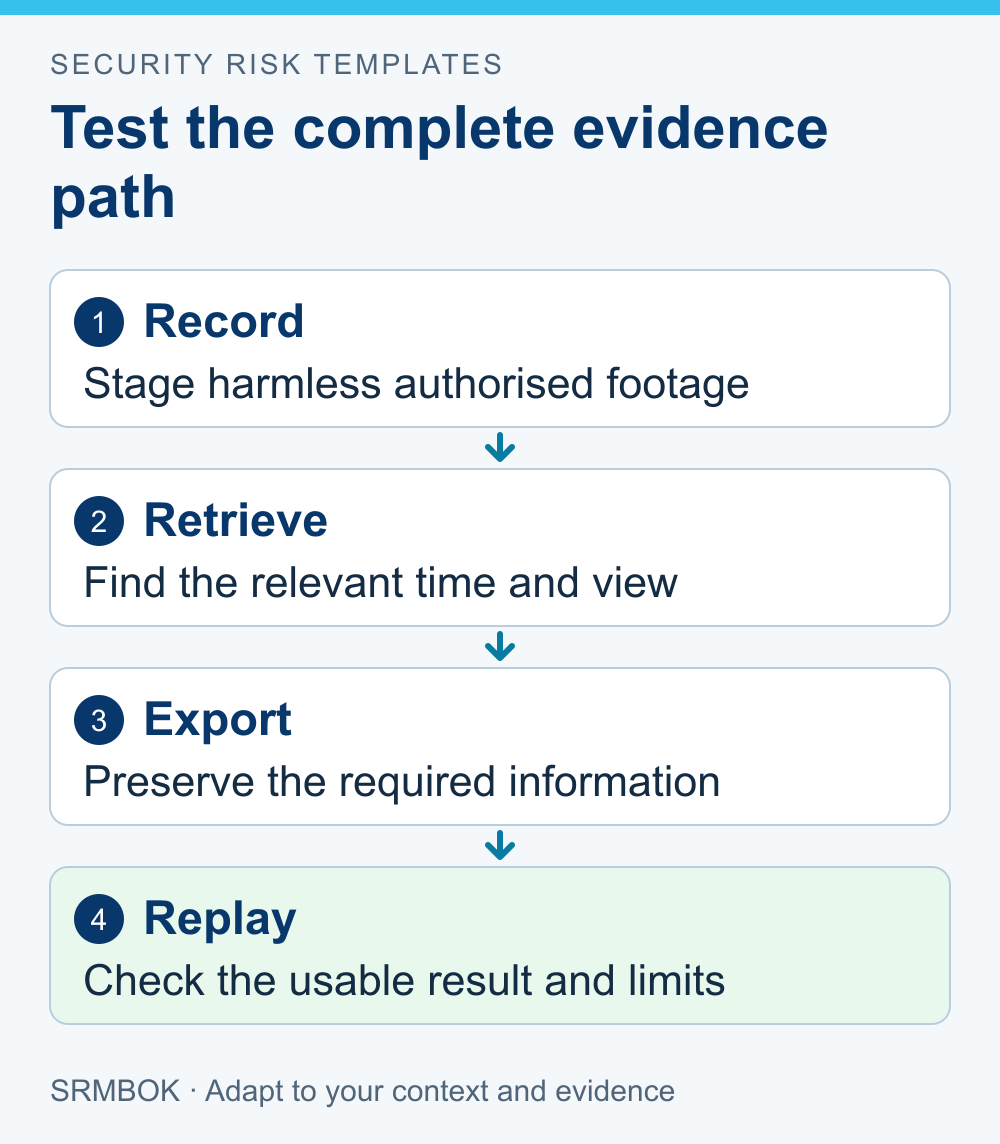
Run a CCTV evidence test by recording an agreed, harmless test activity, finding the recording and exporting it through the approved process to a separate authorised viewing device. Assess whether the result answers the question the camera is meant to answer. A clear live picture alone does not establish that useful footage will be available after an incident.
This is a readiness check for business security managers. It is not a forensic examination or a guarantee that footage will be admissible in court. During a real investigation, preserve material and follow the relevant police or competent evidence specialist's instructions.
Decide what you need the footage to show
Start with the camera's purpose. You may need to establish whether an event occurred, follow a sequence or identify a detail relevant to an incident. Those are different tasks and may require different views and recording arrangements.
Avoid a universal question such as “Is the picture good?” State the practical requirement instead. For example: “Can an authorised reviewer determine whether a delivered item was placed in the agreed receiving area during the recorded interval?”
Do not infer identity or intent from an image that does not support it. A person-shaped figure can establish presence without establishing who the person is. If identification is a required function, have an appropriately competent designer specify and test that requirement.
Use a planned test with minimal personal information
Agree the purpose, location, time and participants. Choose an innocuous activity that can be staged safely without using a real incident or gathering unnecessary information about staff and visitors.
Include the operating conditions relevant to the camera's purpose. A daytime image does not settle a question about performance after dark. A quiet corridor does not represent every condition in a busy entrance. Record what you tested and what you did not.
Use the organisation's approved privacy and surveillance arrangements. This article does not authorise a new camera, audio recording or surveillance of areas that were not already approved.
Check the saved recording
After the activity, ask an authorised operator to find it using the normal instructions. Note whether the correct camera and time period can be identified, whether the recording is complete for the test and whether useful detail remains in the saved footage.
Compare the system time with an appropriate reliable time source and record any discrepancy. During a real evidence-recovery task, do not casually adjust the recorder's time or other settings; that could complicate interpretation of the existing record. Refer discrepancies through the approved technical process.
The UK Defence Science and Technology Laboratory's Recovery and Acquisition of Video Evidence, version 3.0 addresses retrieval of native footage, preservation of associated information and evidence integrity. It is police-oriented UK guidance. The readiness check here uses those general concerns without claiming to fulfil a forensic accreditation requirement.
Exercise the export and replay process
Use the manufacturer's intended export method and the organisation's approved storage media or transfer route. Establish whether the recipient needs a particular player, supporting file or metadata to view and interpret the recording.
A file appearing in a folder is not proof of a successful export. Open the test export on a separate authorised device using approved software. Check the relevant interval and content, not just the first frame.
Do not make a phone recording of the screen your normal evidence-export method. It may omit information and degrade what can be interpreted. If normal retrieval is unavailable during an incident, obtain appropriate assistance and document the circumstances rather than improvising destructive changes.
Record a worked test
The following fictional test uses a labelled empty box moved by consenting staff. No real incident, customer information or sensitive facility layout is involved.
| Test question | Observation | Result and action |
|---|---|---|
| Can the operator locate the agreed interval? | The operator finds the event but notes a clock discrepancy. | Record the discrepancy and refer the time-setting issue through the authorised maintenance process. |
| Does the saved view show whether the box entered the receiving area? | The relevant movement is visible in the recording. | The limited event-observation requirement is demonstrated under the tested conditions. |
| Can an authorised recipient replay the export? | The first export lacks the supported viewing package. | Repeat the approved export with the necessary components and update the operator instruction. |
| Is the copy stored and handled appropriately? | The test copy is placed in the designated controlled location. | Record the file reference, access responsibility and test-data disposal instruction. |
The successful observation does not prove that the system could identify an unknown person or capture a different event in poor conditions. Keep the conclusion as narrow as the requirement and the evidence.
Check the time available to retrieve footage
Find out how the recording arrangement retains and overwrites material under actual use. Do not assume the advertised capacity translates into a fixed retention period at your chosen settings.
The right retention arrangement depends on purpose, applicable obligations and approved privacy and records decisions. Avoid copying a generic number of days from another site. Confirm who can preserve relevant material when an incident is reported near the end of the available recording period.
Include access to the export capability. If only one person knows how to retrieve footage and that person is absent, storage capacity may not be the immediate problem. Provide an authorised backup operator and usable instructions.
Fix the cause of an unsuccessful test
An unsuccessful image may reflect the view, lighting, obstruction, recording settings or a fault. Have the appropriate specialist diagnose the issue against the required task. Buying a higher-resolution camera without understanding the cause may leave the problem in place.
A failed retrieval may instead concern operator training, permissions, export format or software availability. Assign the correction to the person who controls that part of the process. Keep both technical and procedural failures in the action record.
After correction, repeat the affected test and retain the relevant evidence. Record changes to the operating arrangement so a later reviewer can tell whether an earlier successful test still applies.
A recording test is one part of the security assessment process. Track consequential gaps in a treatment plan until the required result is demonstrated.
Your next action is to choose one camera with an important evidence purpose and ask an authorised operator to demonstrate the complete retrieval path using staged test footage. Write down the result and any unanswered question.
The paid SRMBOK Risk Control Effectiveness Criteria Template provides an editable structure for recording a control-effectiveness judgement. Use it alongside your CCTV test record to distinguish the documented arrangement, the capability to retrieve footage and the evidence that the process works. Adapt the criteria to the limited claim you have actually tested.