
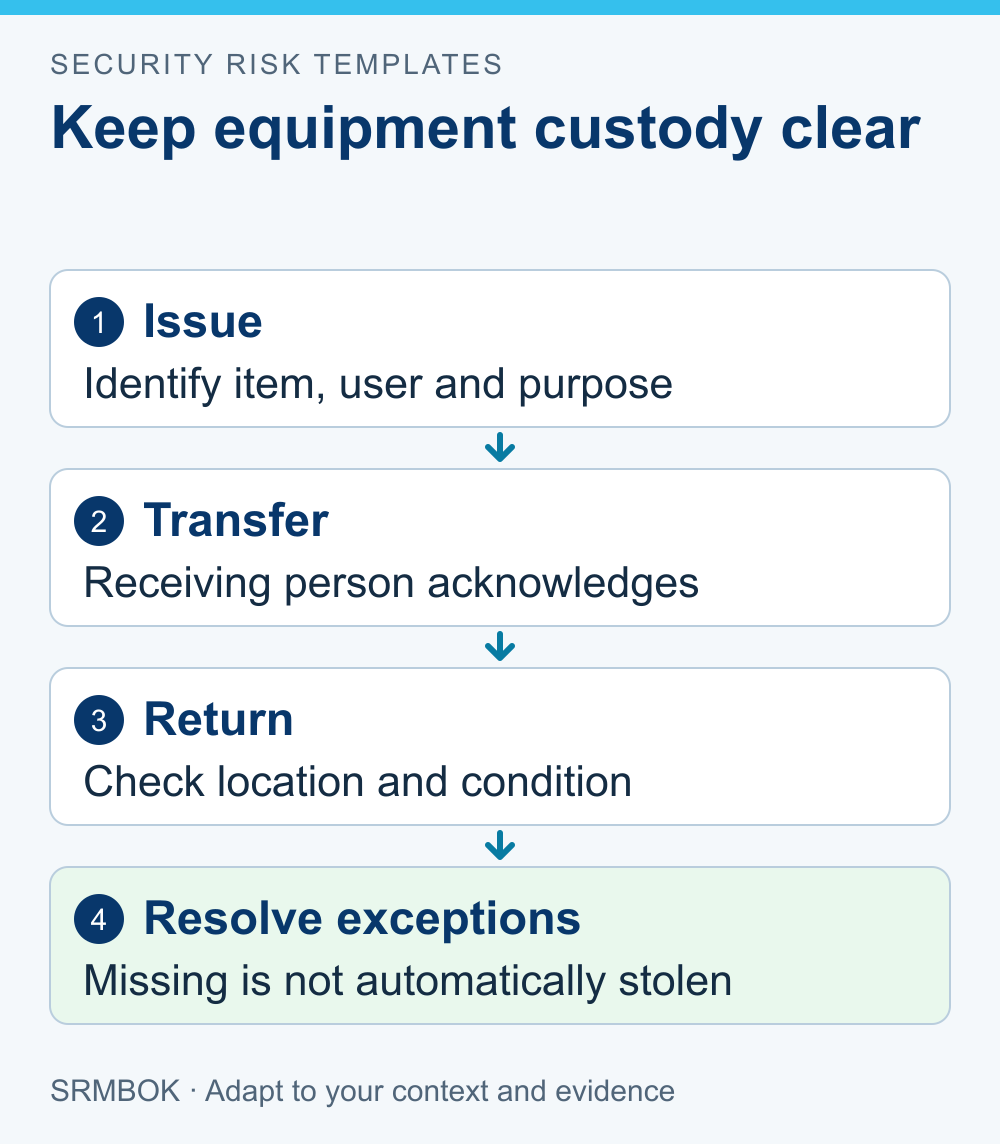
Improve portable equipment security by making custody and secure storage easy to maintain during the work people actually do. Start by following one item through issue, use, transfer and return, then fix the handovers where nobody can say who is responsible.
A rule requiring every item to stay locked away may be incompatible with the task. A sign-out sheet that staff cannot access at the point of transfer may become an inaccurate record. Useful controls support legitimate movement while making exceptions visible.
This method is for ordinary business equipment such as tools, laptops and portable instruments. Hazardous, regulated or specialist items need their applicable handling arrangements as well. Information stored on a device may require protection beyond the physical item.
Identify the loss that matters
Consider replacement cost, interrupted work, information exposure and the time needed to obtain a suitable replacement. A modestly priced component may be essential to a service; an expensive item may have an immediately available substitute.
Separate loss, damage, misuse and inability to locate an item when needed. They may share controls, but their causes differ. A storage cabinet can reduce some theft opportunities while doing little to resolve poor assignment records.
Record the item or sensible equipment group, its business purpose and the conditions in which it moves. Avoid creating a burdensome serial-number process for low-consequence consumables unless another requirement calls for it.
Ask users where the existing process causes delay. Their workarounds can identify the point at which a reasonable control has become impractical.
Make custody explicit
Choose the points at which a handover needs acknowledgement. A team might assign an instrument to one technician for a field visit, while a shared workshop tool needs a simpler issue-and-return record.
The record should identify the item, current responsible person or team, authorised location or use and expected return or review point. Include a route for extending a loan and reporting a discrepancy.
As a practical example, the Queensland Department of Education's equipment-management procedure, version 3.1 effective December 2025, uses loan records, authorised supporting documents and physical verification. It is an internal departmental procedure, not a rule for every business. Use the underlying custody questions without copying its monetary thresholds or review intervals.
Do not equate custody with automatic personal blame for a loss. The purpose is to understand and control movement. Employment, insurance and disciplinary decisions belong in their authorised processes.
Design storage around the task
Locate approved storage where staff can reasonably use it, with access arrangements suited to the work. If the only authorised key holder leaves before the late shift, the control has a predictable operating gap.
Consider charging, environmental conditions and safe handling alongside security. A storage solution that damages batteries or prevents necessary inspection creates another problem. Use the relevant competent advice for equipment-specific requirements.
Define how equipment is protected between tasks and during travel or off-site use. “Keep it secure” leaves the worker to invent the arrangement. State the approved options and how to seek a decision when those options are unavailable.
Keep detailed storage locations and access settings in controlled operational records. General staff guidance should make the process usable without unnecessarily exposing the inventory.
Worked example: shared surveying equipment
A fictional small consultancy shares portable instruments among field teams. Equipment is sometimes returned to whichever office is convenient, leaving the next team unable to find it.
| Situation | Proposed control | How to check it |
|---|---|---|
| Instrument issued for a job | Named custodian acknowledges the item and return location | Compare selected issue records with current custody |
| Job runs longer than planned | Custodian updates the expected return and affected booking | Check whether the next user receives the revised availability |
| Item returned to another office | Receiving person confirms the transfer and approved storage | Trace one inter-office handover to the receiving record |
| Instrument cannot be located | Report promptly through the agreed discrepancy route | Confirm the record distinguishes unlocated, recovered and confirmed lost |
| Equipment is returned damaged | Separate it from available stock and obtain a competent assessment | Confirm nobody books it as ready for use |
These controls address availability and custody. They do not, by themselves, demonstrate calibration, technical fitness or protection of information held on a device.
Deal with exceptions promptly
A late return is not automatically theft. Establish the facts, contact the responsible person through the ordinary route and determine whether work or safety is affected.
Record the current status accurately. “Not at expected location” is a useful initial fact. Calling it stolen without evidence can misdirect the response and unfairly implicate someone.
If an item contains information or credentials, involve the authorised IT or information-security team as appropriate. The physical search and the information response may need to proceed together. Staff should not delay reporting while trying to prove the loss themselves.
Keep the process supportive enough that people report promptly. A system that punishes every honest discrepancy may produce a neat register while hiding actual losses.
Check both records and reality
Review a proportionate selection of items from the register to their physical location, and from observed equipment back to its record. The two directions answer different questions: whether recorded items exist and whether present items are accounted for.
Include long-term loans and equipment held by contractors or remote staff where relevant. Ask whether the intended control still works under those conditions rather than treating the head-office storeroom as representative of all use.
An accounting write-off does not establish that the loss mechanism has been corrected. Keep that decision separate from closing a security improvement.
Correct the cause of repeated gaps. Simplify an awkward transfer step, provide suitable storage or clarify responsibility. Adding mandatory fields to a form will not help if the form is unavailable when custody changes.
Record consequential custody gaps in an actionable risk register and carry agreed improvements into the treatment plan.
Your next action
Trace one frequently moved item through a complete work cycle with its users. Agree the minimum custody record and the storage arrangement that would prevent the most consequential gap.
The paid SRMBOK Physical Security Risk Assessment Tool helps record the equipment-loss scenario, existing controls, treatment and review evidence. Use it to keep the business consequence and the practical operating conditions visible when deciding how much control is proportionate.