
If you need board support for network segmentation, explain what a boundary protects and how it could limit the consequences of a compromise. Start with the business services and information at risk before discussing technical design.
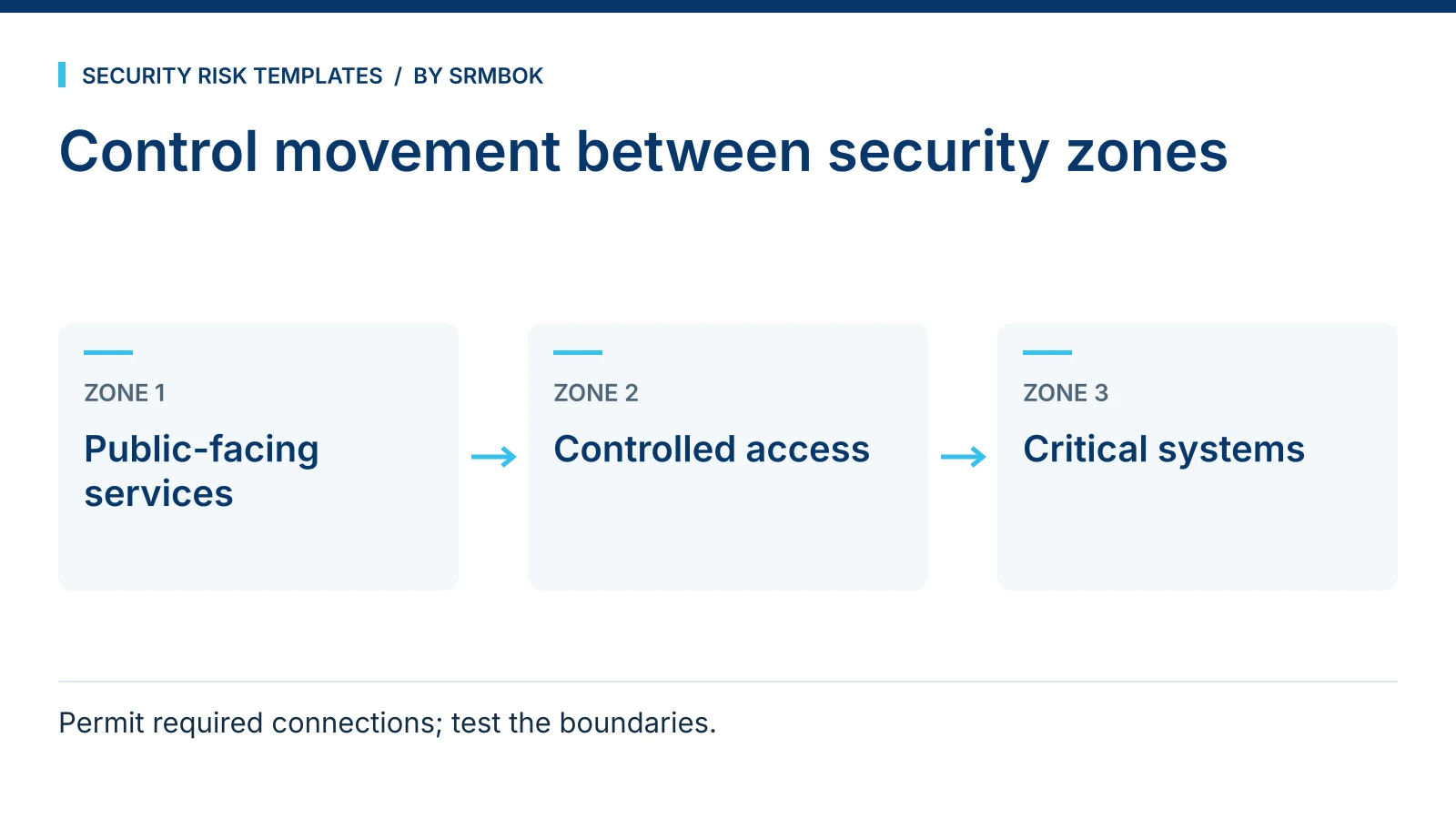
Explaining segmentation to a board needs a model, not a topology
Most segmentation explanations fail at the board level because they are drawn for the people who build the network, not the people who govern it. A topology diagram shows switches, subnets and firewall rules — accurate, and largely unreadable to someone whose job is to ask whether the organisation's risk appetite is being respected. What a board actually needs is a small number of zones, ranked by sensitivity, with a plain statement of what gets in and out of each one. That is the enclave model, and it works because it maps directly onto the question a director is actually asking: if someone got into the guest network, how many steps are they from something that matters.
The enclave concept: escalating controls, not a flat network
Instead of treating the network as one environment with different rules bolted on, an enclave model organises it into a small number of tiers, each with its own escalating level of control. A typical illustration might use something like: an outer tier for public-facing and guest access, a general corporate tier for everyday business systems, a sensitive tier for systems handling commercially or personally sensitive information, and an innermost, restricted tier for the systems whose compromise would be a genuinely serious event — operational technology, financial control systems, or whatever plays that role in your organisation. The exact labels and number of tiers should reflect your own information classification scheme rather than be copied from someone else's; the value is in the escalation, not the specific names.
This is the same logic behind ISO 27001's expectation that controls be proportionate to the sensitivity of what they protect, and behind the "protect" function in NIST CSF 2.0 — controls should tighten as consequence increases. An enclave model just makes that principle visible as a picture instead of leaving it buried in a control library.
The enclave a system sits in should follow its classification, not its history
The most common reason a system ends up in the wrong enclave is not a deliberate decision — it is inertia. A system gets built on whatever network segment was convenient at the time, and it stays there through several years of change requests because moving it is more work than leaving it. The enclave model only holds up if placement is driven by an honest answer to one question: what would the consequence be if this system's confidentiality, integrity or availability were compromised. That is the same question an information classification exercise asks, and the two should use the same answer. A system classified as commercially sensitive has no business sitting in the corporate enclave just because that is where it was first deployed.
This is also why the enclave model is a security-and-business decision, not a purely technical one. IT can tell you which enclave a system currently sits in. Only the business owner can tell you what it would actually cost the organisation if that system were compromised, which is the input the enclave decision depends on.
The reach matrix: who and what can touch which enclave
The enclave picture on its own tells a board what the zones are. It does not tell them who can move between them, which is usually where the actual risk sits. A reach matrix answers that directly: for each enclave, which devices and which categories of people are permitted access.
| Enclave | Devices permitted | People permitted |
|---|---|---|
| Public / guest | Any device, no corporate credentials | Visitors, guests, unmanaged BYOD |
| Corporate | Managed corporate devices | All staff, standard access |
| Sensitive | Managed devices meeting a hardening standard | Staff with a defined business need |
| Restricted | Dedicated, non-internet-connected devices only | Named individuals only |
Presented this way, a gap is obvious without any technical background: if the reach matrix shows unmanaged BYOD with a line into the sensitive enclave, that is a finding a board member can see and question without needing to understand how it happened.
Gates: controlling what moves between enclaves
The enclaves and the reach matrix describe the structure. Gates are the controls sitting at the boundary between one enclave and the next, and they are what actually enforce the escalation — without them, the tiers are just labels. A gate should do three things: authenticate that whatever is crossing is permitted to, based on the reach matrix; log the crossing, so there is a record to review; and be capable of being tested, in the same sense discussed in Twelve Ways a Bow-Tie Workshop Goes Wrong — a gate that has never been tested against a live attempt to cross it is a documented control, not a working one.
Worked example: a three-site logistics firm
A fictional three-site logistics operator, Meridian Freight, runs warehouse scanners, an office network, a customer-facing booking portal and a small finance team handling supplier payments. Mapped onto the enclave model:
- Public enclave: the booking portal and public website, reachable from anywhere.
- Corporate enclave: email, file shares, general office systems, reachable by all staff on managed devices.
- Sensitive enclave: the finance and payments system, reachable only by the finance team on managed, hardened devices.
- Restricted enclave: the warehouse control systems governing scanner networks and automated sorting, reachable only from dedicated terminals with no general internet path.
Before the exercise, Meridian's booking portal and warehouse scanners sat on the same subnet as general office traffic, connected because it was convenient during a system migration years earlier and never revisited. Drawing the reach matrix made the gap visible to the board in a way the migration project's technical documentation never had.
Common mistakes
- Too many enclaves. Beyond four or five tiers, the model stops being something a board can hold in their head, and it stops being useful as a communication tool even if it is technically precise.
- Gates that authenticate but do not log. Without a record of crossings, you cannot answer "did anyone actually use this path" after an incident.
- Confusing the enclave model with the org chart. Access should be based on what a role needs to touch, not which enclave a person's department happens to sit in.
- Never testing a gate. A firewall rule that has been in place for years and never been probed is an assumption, not a control.
- Treating the picture as a one-off. Systems move between enclaves as the business changes — a new integration, a new vendor, a migrated system — and the model needs revisiting when that happens, not just at the next audit.
- Letting IT decide enclave placement alone. Placement should follow the business owner's answer on consequence, not whichever segment was easiest to provision a new system into.
Take the picture into the boardroom
The SRMBOK Guide to Secure ICT Enclaves — A3 Poster is a free one-page framework organising information security into four enclaves with escalating controls, a reach matrix of which devices and people access which enclave, and the gates controlling flow between them — built to be the single picture a board actually remembers. If you are building the broader plan this poster sits inside, How to Write a Security Plan (Free Outline Template) and Essential Eight Maturity Assessment: A Free Self-Scoring Tool cover the surrounding structure and control baseline.