
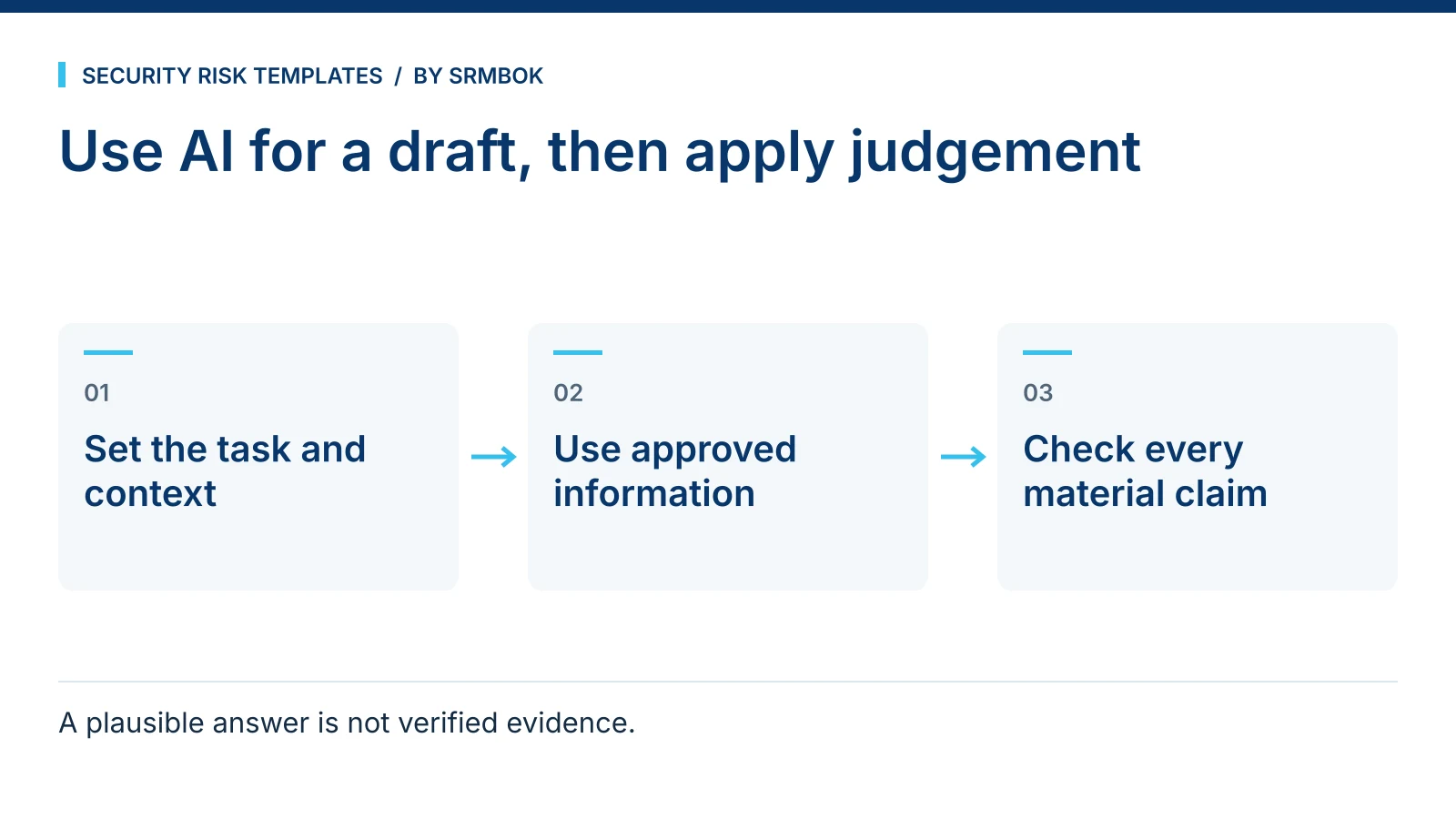
If you want AI to help with a risk statement, briefing or assessment draft, give it a defined task and information you are permitted to share. Treat the response as material to check and improve, not as an assessment you can accept without evidence.
What a large language model is actually good at in this work
A large language model does not know your organisation, your controls, or your risk appetite. It knows patterns in language: what a well-structured risk statement usually looks like, what a stakeholder briefing usually covers, what an insider threat indicator list usually contains. That makes it genuinely useful for structure, drafting speed and first-pass brainstorming, and genuinely unreliable for anything that requires knowing your specific environment or verifying a fact.
Treat it as a fast, tireless junior analyst who has read widely but has never worked at your organisation and will not tell you when it is guessing. That framing solves most of the judgement calls about when to use it.
Where it earns its keep
Four uses consistently save time without introducing risk, provided you check the output:
- Structuring a first draft. Turning a rough list of concerns into a properly structured risk description, an assessment scope, or a briefing note skeleton.
- Generating a wider list of risk candidates. Asking for a broad list of risk categories relevant to a type of operation, then filtering it against your own knowledge of the site, is faster than starting from a blank page.
- Rewriting for a different audience. Turning a technical assessment into a plain-language summary for a board, or the reverse.
- Drafting stakeholder communications. A first pass at an email announcing a new control, a briefing note requesting sign-off, or a set of interview questions for a risk workshop.
Where it fails, and why that matters more here than elsewhere
Security risk work has a specific failure mode that other writing tasks do not: a plausible-sounding but wrong answer can end up in a document that informs a real decision about a real threat. A model asked to name a specific clause number, a specific control ID from a framework, or a maturity-level requirement will often produce something that reads correctly and is wrong. It is not being dishonest. It is doing exactly what it is built to do — produce plausible text — and plausible is not the same as correct.
The rule that follows from this is simple: use the model to structure and draft, and verify every specific fact, standard reference, or figure against a source you trust before it goes in front of a client or a board. Never let a model be the last check on a factual claim in a document with your name on it.
Worked example: a prompt for a first-pass risk identification session
A common early-stage task is generating a wider candidate list of risks before a workshop, so the room is not starting from nothing. A poorly built prompt produces generic output: "cyber attacks, natural disasters, human error." A well-built prompt gives the model enough context to be specific.
Weak prompt:
"List security risks for a logistics company."
Working prompt:
"I am preparing a risk identification workshop for a three-site logistics firm with a central warehouse, two regional depots, and a mobile delivery fleet. Generate a candidate list of 15 physical and cyber security risks specific to this kind of operation, grouped by category (perimeter and access, cargo integrity, personnel, information systems, third-party and supply chain). For each, note the type of consequence in one phrase. This is a starting list for a workshop, not a finished assessment — I will validate and adjust each one with the site team."
The difference is context, structure, scope and an explicit statement of what the output will and will not be used for. That last part matters: it primes the model to produce a workshop input, not a document that reads like it is already finished and authoritative.
A basic template worth reusing
Most useful prompts in this field share a shape: role or context, the specific task, the format you want back, and the boundary on what the output represents. A simple structure to reuse:
| Element | Example |
|---|---|
| Context | The organisation type, scale and situation |
| Task | The specific thing you want generated or rewritten |
| Format | Table, numbered list, plain-language paragraph |
| Boundary | "This is a draft for me to review," not "this is the final answer" |
Building this habit is worth more than memorising thirty individual prompts, because it lets you construct a new one for any task the fixed list does not cover.
The same shape works for training material as it does for assessments. A prompt asking the model to draft ten scenario-based questions distinguishing a targeted email attack from a mass phishing campaign, for example, is a fast way to build a first draft of a staff quiz — provided you check the technical detail before it goes out. That distinction matters more than it looks; if your staff cannot tell a broad phishing campaign from a targeted one aimed specifically at your organisation, they will treat both with the same low level of caution. Spearphishing vs Phishing: What Staff Need to Be Able to Tell Apart sets out the distinction your prompt and your quiz both need to get right.
What never goes into the prompt box
Before any of this is useful, there is a harder line: some information should never be typed into a public AI tool at all, regardless of how good the resulting draft would be. Client names tied to specific vulnerabilities, unredacted incident details, personal information about staff, or anything covered by a confidentiality agreement should stay out of a public chat interface entirely, not just be handled carefully within it. If you are unsure where that line sits for a specific piece of information, it is worth thirty seconds to check before you paste anything in.
Common mistakes
- Treating fluent output as verified output. A confident, well-formatted answer is not the same as a correct one, especially for standard references, clause numbers or statistics.
- Pasting confidential or client-identifying information into a public tool. The convenience is never worth the exposure.
- Using one prompt for every task. A prompt with no context produces generic filler that a workshop room will immediately reject.
- Letting the draft become the final document. The model is fast at structure and slow at judgement. Keep the judgement yours.
- Not telling the model what the output is for. Whether it is a first-pass workshop input or a final board paper changes what a good answer looks like, and the model cannot infer that unless you say it.
Get the full set of thirty ChatGPT prompts for risk practitioners
The SRMBOK Guide to ChatGPT Prompt Engineering gives you more than thirty ready prompts for security risk work — drafting assessments, risk identification, stakeholder engagement — designed to be copied, filled with your own organisational detail and run. It is free. If insider threat is part of what you are assessing, Insider Threat Self-Assessment for Senior Managers (Free Checklist) is a useful companion for the workshop these prompts are built to support, and if your next session is a bow-tie workshop rather than a general risk identification exercise, Twelve Ways a Bow-Tie Workshop Goes Wrong is worth reading first.